

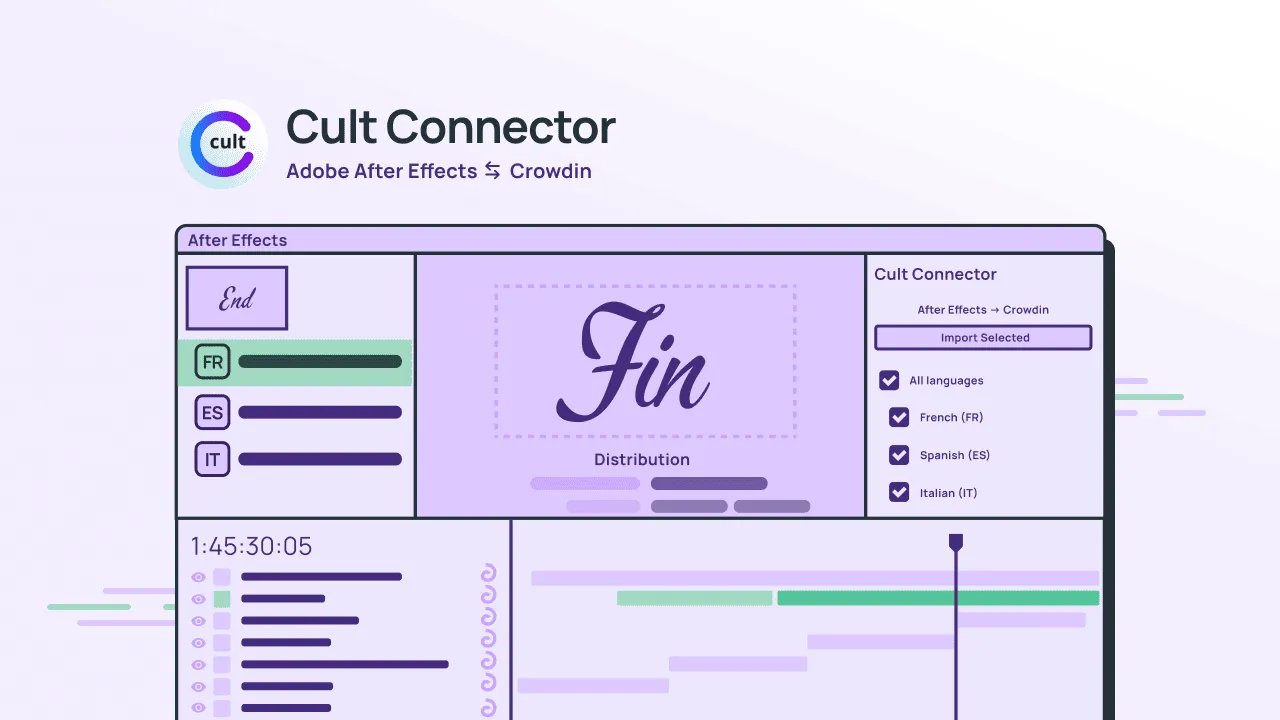
Translation for video is a special case: the audience doesn’t just read the words – they read them while the image moves. Titles, supers, on-screen text, end cards, trailer lines, in-game cinematics, marketing spots – if it appears in the frame, in time, the rules change.
That’s a different job than localizing a website. In a video, even a good translation can still be wrong on screen – because the problem isn’t just the wording. It’s keeping language locked to the edit as motion changes, timing shifts, and last-minute copy arrives.
Real pain is the manual handoff
Teams rarely lack talent. They lack a clean bridge between:
- Motion world (After Effects, pacing, line breaks, layout, re-renders, deadlines), and
- Translation world (Crowdin-grade workflows, memory, glossary, review, and accountability).
Without that bridge, you pay for manual workarounds, not for the creative process: exports, re-imports, duplicate documents, “final_final” files, screenshots in chat, and re-renders that have nothing to do with craft.
That manual job wastes translators’ time (who are waiting for context), disrupts motion designers’ focus, and burns calendar time for producers trying to ship on time.
What breaks first (in almost every organization)
- Context disappears: a line in a document isn’t the same as a line in the frame.
- Iteration punishes everyone: a tiny text tweak becomes a high-friction re-sync.
- “Approved” and “shipped” diverge because the system of record isn’t connected to the timeline.
The pain shows up across industries – ads, film/streaming, games, product UI motion – but the story is the same: video magnifies mistakes because the audience feels language as part of the whole image.
What the right video localization workflow looks like
Good video localization isn’t more manual effort. It’s a pipeline where:
- Translators and reviewers can work with real on-screen context.
- Motion teams can iterate without becoming localization IT support.
- Leadership can add locales without adding a parallel logistics team.
How to connect Crowdin + Adobe After Effects
Crowdin is where your translation work should live: assignments, MT and AI pre-translation, quality checks, memory, glossaries, and review. After Effects is where the on-screen text actually exists as motion: timing, line breaks, layout, and the visual context your audience will see.
Cult Connector is the bridge: it links your AE project to a Crowdin project so you’re not manually shuttling copy between the doc and the timeline.
Step by step, the workflow looks like this:
1. Set up access (once per team)
In the Cult Connector dashboard, you control which email addresses are allowed to use the After Effects connection with your Crowdin setup. That keeps the integration tied to the people who should be in the loop.
2. Install the panel in After Effects
You install Cult Connector for After Effects like a normal panel/extension (Mac or Windows), then open it from the Window menu.
3. Connect the panel to Crowdin
In the panel, you sign in to Crowdin with an allowed email. This turns After Effects into a direct extension of your translation system, rather than a disconnected silo.
4. Choose the Crowdin project
You select the Crowdin project you want to work on (the same place your translators and reviewers already work). Now there’s a single source of truth for all the text that will appear in the video.
5. Send work from After Effects to Crowdin
From the panel, you send compositions (your source “video text” work) to Crowdin so it can be translated and reviewed in a structured way – not copied out by hand.
6. Translate and review in Crowdin
Translation teams (and your workflows – human, AI-assisted, TMs, glossaries) work in Crowdin, where language quality and consistency are easier to protect than in a spreadsheet.
7. Pull translations back into After Effects
When language is ready, you pull translations back into the AE project so the timeline reflects what your team approved – not a parallel file that might drift.
8. Use screenshots / visual context where it helps
The panel is built to help teams manage screenshot-style context, so reviewers aren’t guessing what a line looks like in the frame (a common failure mode in pure text workflows).
9. Ship from the comp you actually edited
The goal is a loop where the approved language and the final motion stay connected: fewer surprise re-renders caused by the “translation doc” and the “actual video” being out of sync.
That’s the core idea: translation happens in Crowdin, motion happens in After Effects, and the connector keeps the two from drifting apart – so your best people spend less time being file couriers and more time on craft.
Automate your motion workflow

Cult Extensions
Cult Extensions builds professional-grade localization tools native to Adobe After Effects. We redefine global video production by bridging the gap between motion design and industry-standard translation workflows.